
Digital signage that keeps playing.
Put your content on every screen, keep it playing when the internet drops, and let anyone in the team change it in minutes. Built in Australia for retail, pharmacy, health and every other space with a screen.
Runs on Android screens and players, LG webOS, and anything with a browser, including Windows and BrightSign. Screens pair in about a minute at cosmossignage.com.au/app.


Three promises, kept on every screen.
Most signage platforms stream from the cloud and hope the connection holds. Cosmos was built from the lessons of running hundreds of screens for Australian retailers, and it starts from three rules.
It keeps playing
Every item is stored on the screen itself. Pull the network cable and the playlist carries on. When the connection returns, the screen quietly checks for changes.
Pull the plug →It is intuitive
Screens, Media, Playlists, Schedule, Publish. Plain words, one job per page, pop-ups you can move. If a button needs explaining, we rename it or remove it.
See the platform →It is secure
Screens only ever call out, so nothing listens on your network. Tokenised links, multi-factor authentication, access levels, and hosting in Australia.
How we secure signage →Built for the way each space works.
The screen in a pharmacy aisle has a different job from the one in a hotel lobby. Each industry page shows where the screens go, what plays on them, and what the numbers say.
Retail
The shelf edge is the new shop window.
See retail →Pharmacy
Information first. Persuasion second.
See pharmacy →
Medical and health
The waiting room that informs instead of frustrates.
See medical and health →
Hospitality
Welcome, what's on, and what to order next.
See hospitality →
Quick service and cafés
Menu boards that change at 10:30 without a ladder.
See quick service and cafés →
Transport and wayfinding
Tell people where to go, before they ask.
See transport and wayfinding →From the box to the first picture in about ten minutes.
Pair the screen
On an Android screen type cosmossignage.com.au/app, or open the pairing page in any browser. Enter the code the dashboard shows you. Done.
Add your media
Drag in pictures, video and web pages. Cosmos reads the shape and size of each file and groups portrait, landscape and bar content for you.
Build a playlist, set a schedule
Order the items, set how long each plays, and choose when: dayparts, weekdays, campaign dates. Colour code playlists store by store.
Publish
The screen downloads everything to its own storage and starts playing. From then on it plays with or without the internet.
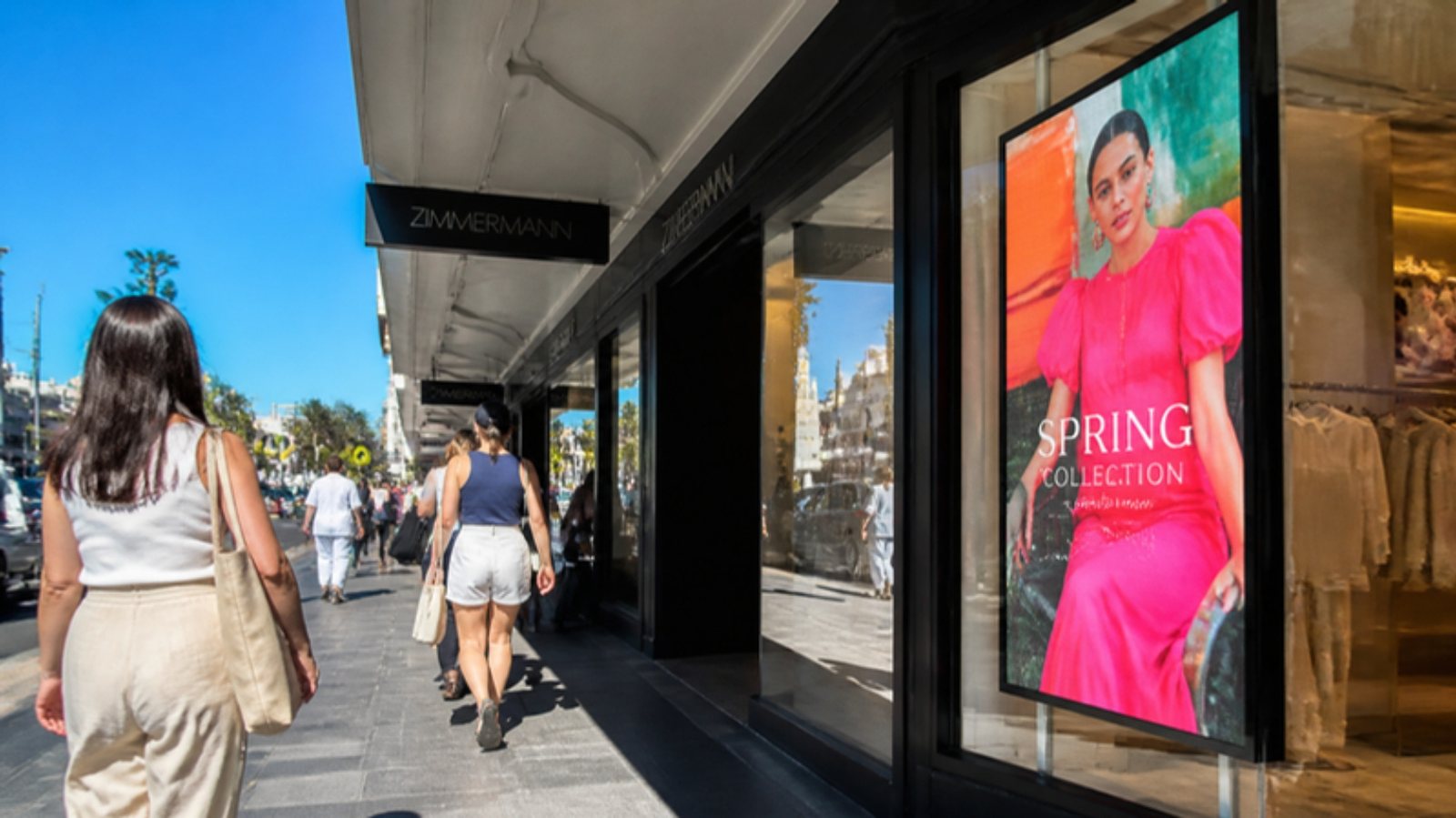
Screens that win against the Australian sun.
A living-room TV gives up at about 350 nits. The window screens we supply run at 700, 1,800 and 4,000 nits, with light sensors that turn them up at midday and down at night. Try the sunlight slider and see the difference.
The signage network your IT team will sign off.
Screens make outbound calls only, over HTTPS, to one address. Nothing listens on your LAN and no inbound firewall rule is needed. Play links are tokenised per screen, sign-in uses multi-factor authentication, and accidental deletion asks for confirmation. Content is hosted in Australia.
- Outbound-only screens, no open ports
- Tokenised play links, revocable per screen
- Multi-factor authentication and access levels
- Australian hosting, Essential Eight aligned
- Content stored on the screen, plays offline

One business. One fleet dashboard.
Cosmos runs what plays. Command Nexus runs everything it plays on, and is not limited to signage: add your entire audio visual and IT solution, from screens and players to network gear, audio, control systems and staff radios. One login, one list of sites, every device's health, problems solved before anyone reports them, with Cosmos as a tab.
Everything you need. Nothing you have to ask about.
Screens
One line or one tile per screen: name, what is showing, player, control, size, network. Status colours you read at a glance.
Media
Pictures, video and web pages grouped by shape. One thumbnail each. Archive keeps a file playable but out of the way.
Playlists
Order, duration, colour code. Preview on a real player page before you publish.
Schedule
Dayparts, weekdays, campaign dates and working hours per site. Screens sleep when you close.
Sync Groups
Tick a box and a row of screens changes on the same beat, or shows one picture across the wall.
Reports
Proof of play as PDF or CSV for any period, any screen, any campaign.
Takeover
Put one message on every screen now, and release it when you are done.
Live pictures
See what is actually on the glass from the dashboard, only while you are looking.
Locations and tags
Tenant, venue, screen. Publish to Victoria, to Brand X, or to Level 2 only.
Straight answers.
What screens does Cosmos run on?
Android commercial screens and media players (our range ships with Cosmos ready to pair), LG webOS screens, and anything with a modern browser, including Windows players and BrightSign. Older screens get a lighter player page automatically. Samsung Tizen and a Windows app are next on the list.
Do I need to buy new screens?
No. If your existing screens or players run Android, webOS or a browser, pair them. We audit what you have and replace only what is not earning its keep.
What happens when the internet drops?
Nothing you would notice. Content is stored on the screen and the playlist keeps playing. When the connection comes back the screen checks for changes. Sync Groups even stay in step on the local network clock.
How simple is it, really?
Our benchmark for ease of use is our customers. Five pages, plain words, pop-ups you can drag. We test with people who have never seen it, and anything they stop on gets renamed or removed.
Where is my content hosted?
In Australia. Cosmos can also link to Command Nexus, the fleet platform it was built beside, so one login covers both.
What does it cost?
A monthly licence per screen, with setup and national support. Book a demo and we will quote for your fleet, with capex, lease and managed-service options.
See Cosmos on your own screens.
A 30-minute demo on a video call, or on a screen in your store. No obligation.